
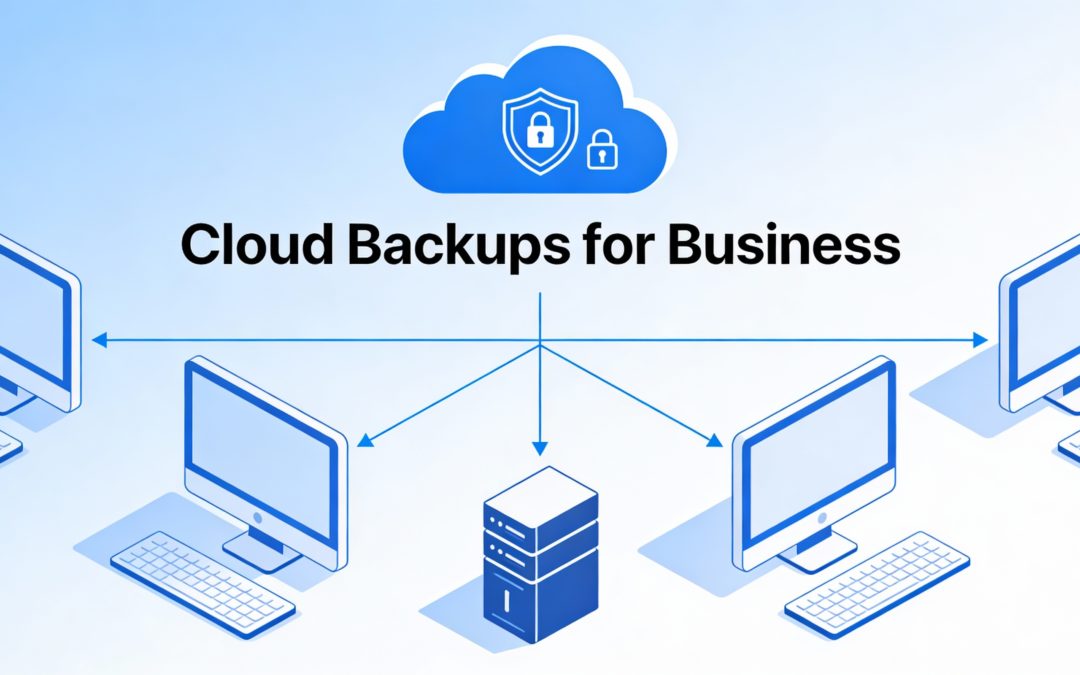
Looking for an easy business cloud backup guide? Cloud backups have become one of the most important layers of protection for modern businesses. Instead of relying on a single server, office PC, or external hard drive, cloud backups quietly and consistently copy your critical data to secure, off‑site locations where it can be restored quickly if something goes wrong.
What Are Cloud Backups for Business?
Cloud backups are services that automatically copy your files, servers, or even entire systems to secure data centers over the internet. Unlike old‑school tape or USB backups that someone has to remember to swap and take home, cloud backup systems run on schedules, monitor backup health, and even alert you if something fails. For a typical small or midsize business, this might mean backing up email, shared files, on‑premise servers, line‑of‑business apps, and important user devices to the cloud on a daily or near‑real‑time basis.
For business owners, the key benefit is peace of mind. When cloud backups are configured correctly, you can focus on running the company instead of worrying about what will happen if a server dies, someone clicks on a ransomware link, or a laptop disappears.
How ATYXIT Fits Into Your Backup Strategy
ATYXIT is a security‑focused business IT provider, and cloud backups are a natural part of that mission. Rather than treating backups as a one‑time “set it and forget it” task, ATYXIT approaches them as an ongoing service that supports your broader cybersecurity and business goals.
In practice, that often looks like:
- Assessing what data and systems your business relies on every day and what downtime would cost you
- Designing a backup and recovery strategy that covers on‑premise servers, cloud apps, and user devices with the right retention and recovery time objectives
- Implementing and managing backup software and cloud services, then regularly testing restores so you know they actually work
Because ATYXIT works as a strategic IT partner, cloud backup design can be integrated with your overall infrastructure, security tools, and growth plans. That alignment is what turns “just backups” into a true business continuity solution.
Common Software Approaches to Cloud Backups
There is no single backup tool that fits every business. Instead, a good provider pulls together the right mix of technologies based on your size, industry, and risk tolerance. Some of the most common categories include:
Endpoint and File‑Level Backup
Endpoint backup tools protect the data stored on laptops and desktops. They automatically back up folders like Documents, Desktop, and other key locations to the cloud. This is especially important for companies with remote or hybrid teams, where critical work may live on individual devices rather than a central server.
These solutions are designed to be low‑friction: once installed and configured, they run in the background, backing up new and changed files without employees having to do anything.
Image‑Based and Server Backups
For servers and critical on‑premise systems, image‑based backup software can take a full “snapshot” of the entire system. That snapshot can then be sent to the cloud. In the event of a failure or ransomware attack, your IT provider can restore the server as it was at a specific point in time, sometimes even spinning it up in the cloud temporarily so your business can keep running while hardware is repaired or replaced.
This approach is ideal for line‑of‑business applications, file servers, and other systems that your team depends on every day.
SaaS and Cloud‑to‑Cloud Backups
Many businesses assume that using services like Microsoft 365 or Google Workspace means backups are “taken care of,” but these platforms are not traditional backup solutions. They offer limited recycle bins and retention, which may not be enough for long‑term protection or for recovering from large‑scale deletions or malicious activity.
Cloud‑to‑cloud backup platforms connect directly to SaaS tools and create independent backups of your emails, OneDrive or Google Drive documents, SharePoint or Teams data, and more. Those backups are stored in separate cloud storage with their own retention policies, giving you much more control over how long data is preserved and how it can be restored.
The Benefits of Off‑Site and Cloud Backups
Off‑site backups—especially in the cloud—offer several major advantages compared to keeping everything only in your office.
Protection From Local Disasters and Theft
If your only backups are in the same building as your production systems, a single event can wipe everything out: fire, flood, theft, power surge, or even a simple hardware failure. Cloud backups live in professionally managed data centers in other locations. Even if something happens to your office, your data remains safe and recoverable.
Resilience Against Ransomware and Human Error
Modern cyberattacks often target local backups, and human mistakes—like deleting the wrong folder—are still very common. Properly designed cloud backups use separate credentials, versioning, and, in many cases, immutability features that prevent attackers or users from altering historical backup data. That means you can roll back to clean versions of your files or systems if something goes wrong.
Scalability and Predictable Costs
As your business grows, so does your data. With cloud backups, you typically pay for the storage and features you need and can scale up or down without buying new hardware every few years. This turns your backup strategy into a predictable operating expense rather than a series of big, unpredictable capital purchases.
Faster and More Reliable Recovery
Cloud backup platforms are designed with recovery in mind. Restoring a single file, a folder, an email mailbox, or even an entire server is often straightforward and much faster than digging through old tapes or external drives. When a provider like ATYXIT manages these tools, we can pre-plan recovery scenarios and test them, so the process is smooth and efficient in the event of a real emergency.
Why Work With a Security‑Focused Partner Like ATYXIT
Cloud backups are no longer optional for businesses that want to protect themselves from downtime, cyber threats, and data loss. However, choosing the right mix of tools, configuring them correctly, and monitoring them over time is not something most business owners have time to do on their own.
ATYXIT’s security‑focused IT services model is built around being a long‑term partner. That means:
- Designing a backup and recovery plan tailored to your business, not just installing generic software
- Continuously monitoring backup jobs and addressing issues before they become crises
- Regularly testing restores so you know your backups actually work when you need them most
- Integrating backups with your broader cybersecurity and IT strategy
For a business, the result is simple: you can keep serving your customers and growing your company, while knowing that your critical data is protected, stored securely off‑site, and ready to be restored if the unexpected happens.
ATYXIT is an Illinois based security-first Business IT Solutions Provider and Chicago Cloud Provider. We excel in supporting and evolving company networks. Our technical support, technology consulting, project management, cyber security and IT strategy services make us the ideal IT resource for businesses of all sizes.
Reach out today if you need assistance with any of your business technology!